User guide
My Access
See what access you hold and why, what you have asked for, and your team's access if you manage people.
My Access is a page in your portal that shows everything you hold through Warde, how you got it, and what you have asked for that is not in place yet. Your administrator decides where the link to it appears; review emails also link to it.
The Mine tab
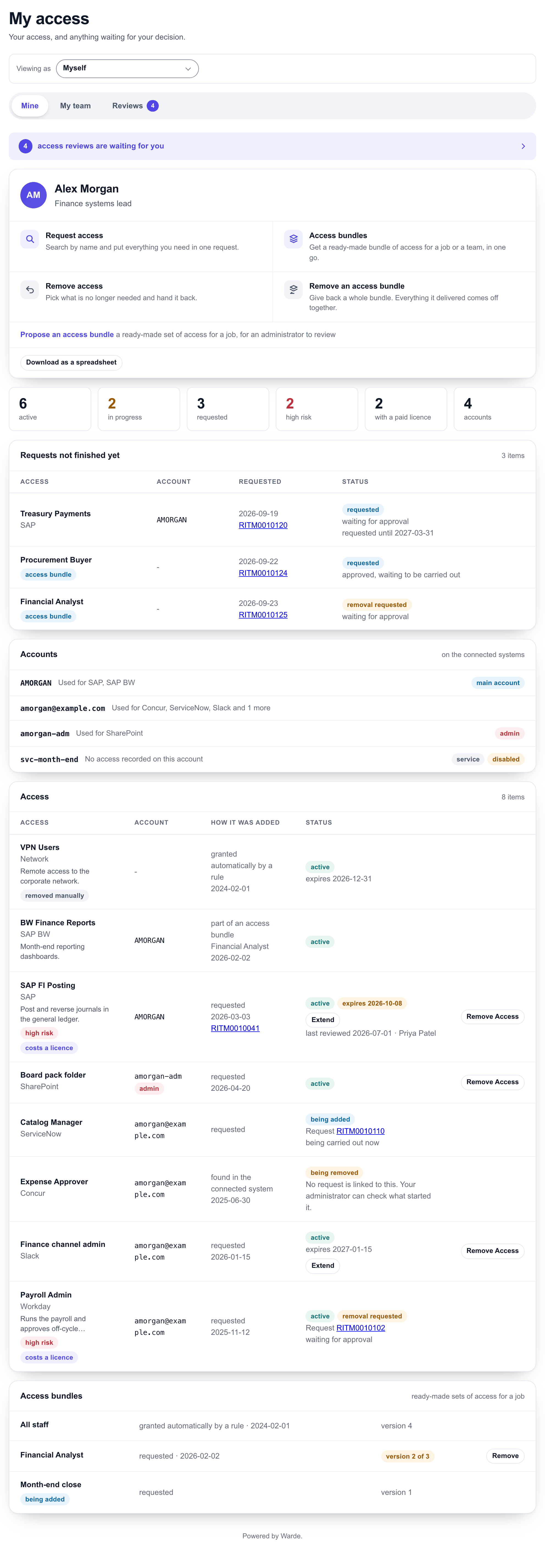
At the top are the four ways in: Request access, Access bundles, Remove access and Remove an access bundle. Propose an access bundle suggests a new bundle for an administrator to review, and Download as a spreadsheet saves the page as a workbook.
The counters show how much access you have that is active, in progress or requested, how much is high risk or uses a paid licence, and how many accounts you have.
| Panel | What it shows |
|---|---|
| Requests not finished yet | What you have asked for that is not in place, with its request number and where it is: waiting for approval, approved and waiting to be carried out, or being carried out now |
| Accounts | Your accounts in each system. Every piece of access is on one of these. |
| Access | Each piece of access you hold, the account it is on, how it was added and its status |
| Access bundles | Bundles you hold, and which version of each |
For each piece of access you see the application, what it lets you do, its risk, whether it uses a paid licence, when it expires, and how it was added:
| How it was added | Meaning |
|---|---|
| requested | You or someone for you asked for it |
| part of an access bundle | It came with a bundle |
| given automatically by a rule | Given when you joined or moved, by your organisation's joiner process |
| given by a rule in the connected system | Your identity system gives it because of your role or details |
| requested in the connected system | Someone asked for it in the identity system itself |
| added directly in the connected system | Someone added it in the system itself, outside a request |
| found in the connected system | It was already there when Warde looked, and the system does not say why |
Extend appears on access that expires. It opens Request Access with the item filled in so you can ask to keep it.
Remove access from My Access
Select Remove Access beside an item to give it back. Warde first checks what will happen and tells you who needs to approve, if anyone. Enter a reason and select Remove Access. If approval is needed, a removal request is raised in your name and you can follow it under My Requests.
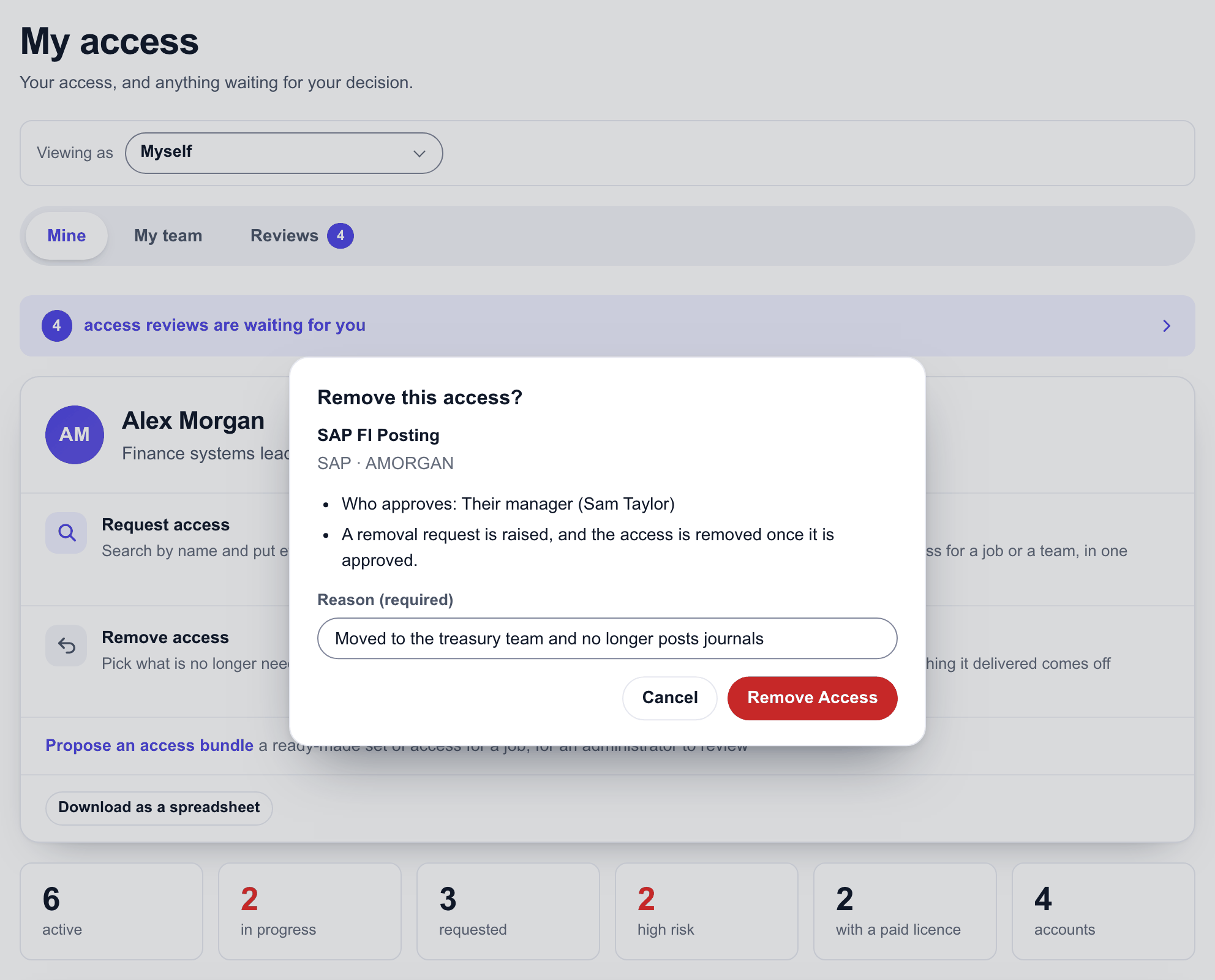
The button appears only on access you can remove. See Give access back for what cannot be removed.
The My team tab
If people report to you, My team lists them. Expand a person to see their access in place. A person who has left is marked, because their access should almost always be removed.
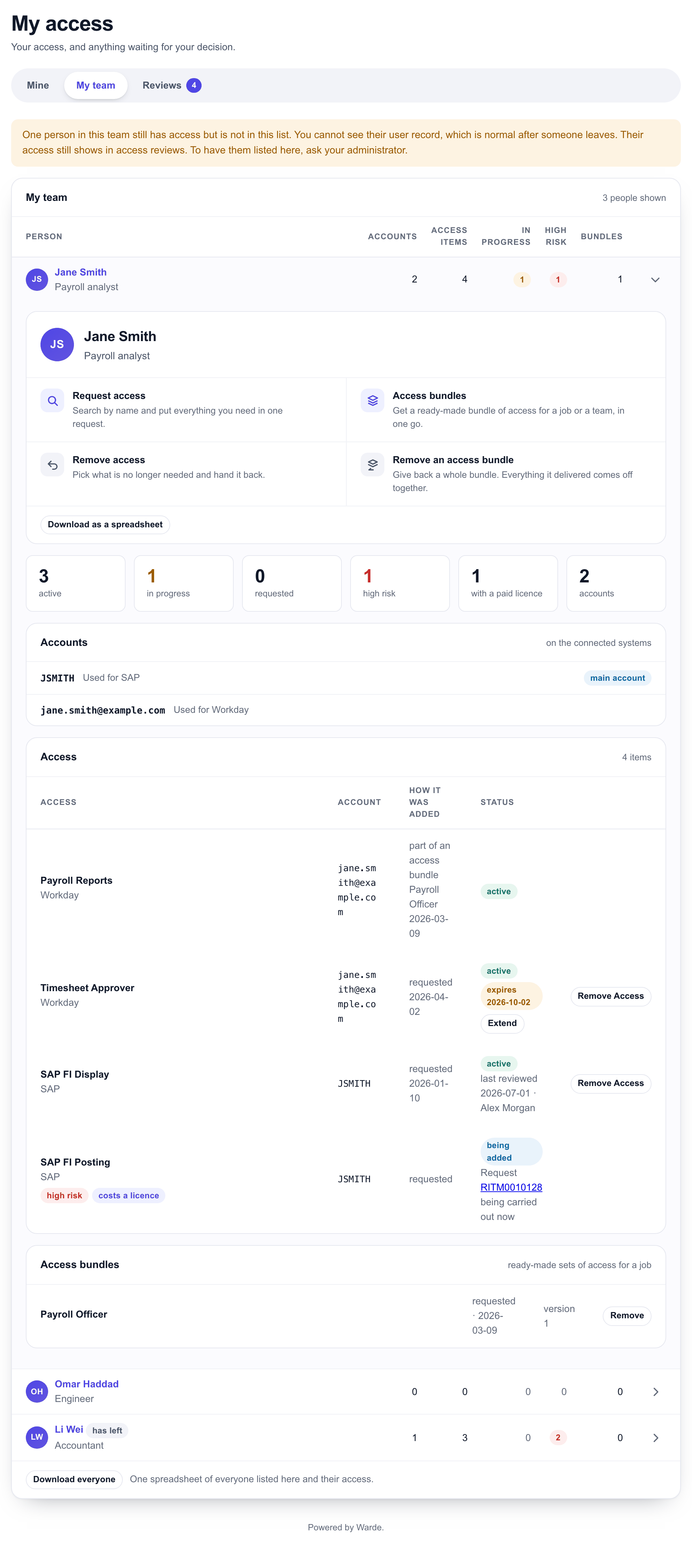
From a team member's view, the links to Request access, Access bundles, Remove access and Remove an access bundle open with that person already chosen.
Download everyone saves the whole team's access as one spreadsheet.
Viewing as someone else
If someone has made you their delegate, choose them under Viewing as to see My Access as they would, and act for them.
The Reviews tab
When you are asked to review access, your reviews are on the Reviews tab. See Review access.
Approvals
If requests are waiting for your approval, My Access shows them with any note for the approver. To approve or reject, open the request. See Approve a request.