User guide
Review access
How to complete an access review: confirm that people still need their access, remove what they do not, or hand the review to someone better placed.
An access review asks you to confirm that people still need the access they hold for their job. You might review your team's access as their manager, or everyone's access to an application or entitlement you own.
Open your review
When a review starts, you get an email, Access review assigned to you. Select Open your access review. You can also find your reviews on the Reviews tab of My Access, and on My Tasks if your organisation has added them there.
The top of the review tells you what you are being asked and why, and the date it is due.
Decide each line
Each line is one person's access: the person, the application, what the access lets them do, how they got it, and when. Look out for:
- High risk: access that can do the most harm if it is wrong;
- Has left: the person has left the organisation. Their access should almost always be removed;
- access added directly in the system rather than requested.
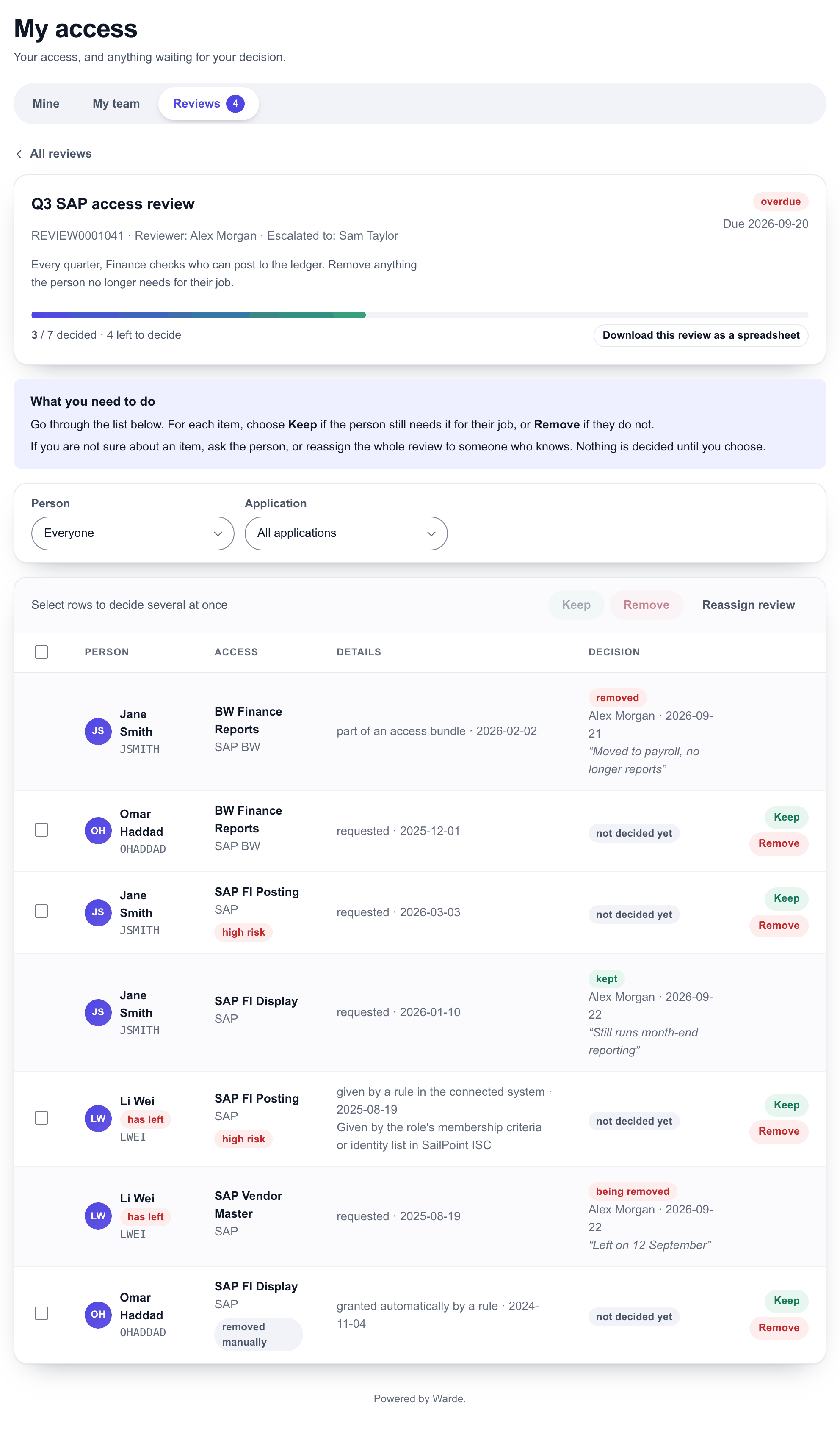
For each line choose:
| Decision | What happens |
|---|---|
| Keep | The access stays, and your decision is recorded |
| Remove | The access is removed. You give a reason, and only an administrator can add it back. |
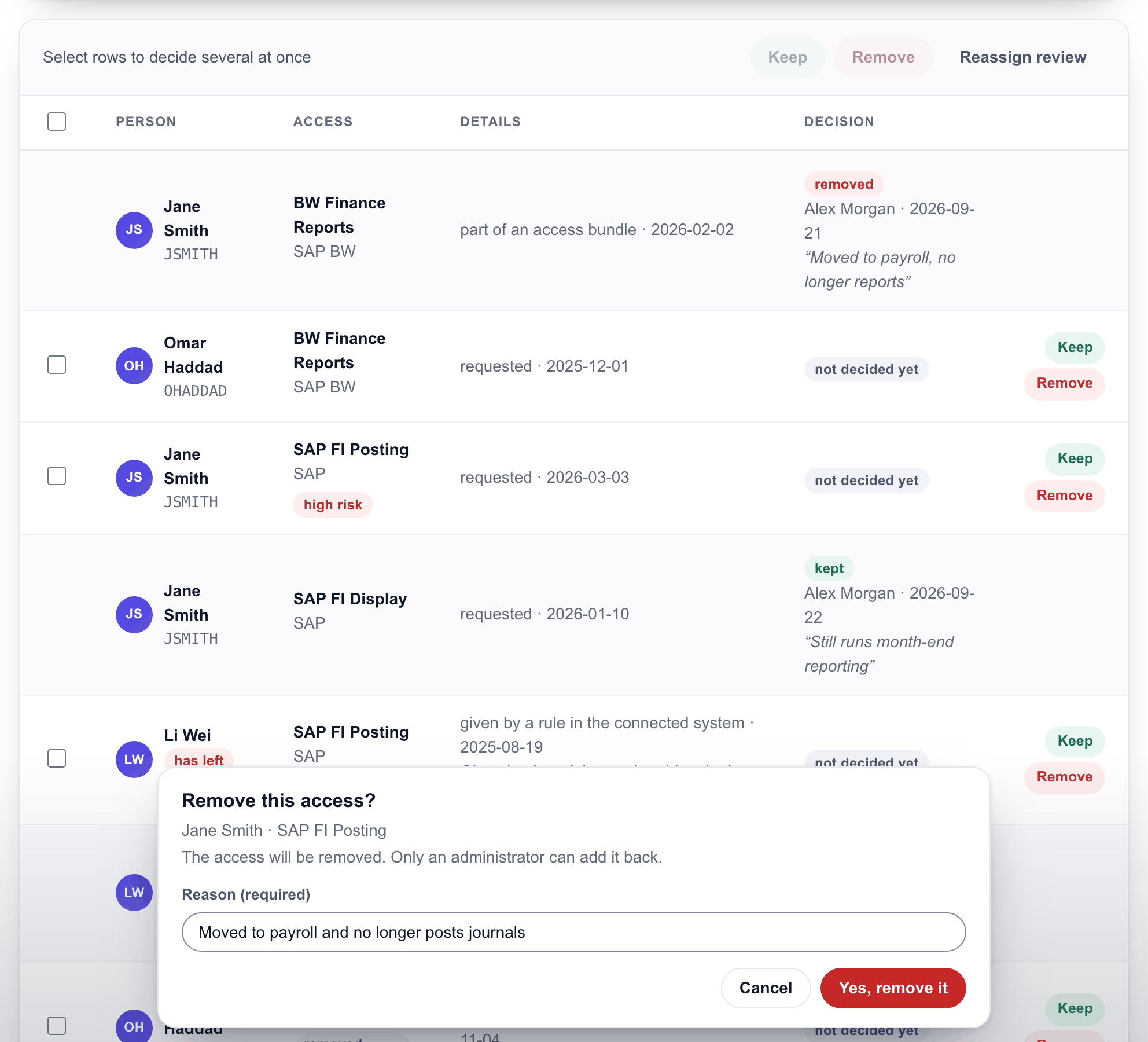
To decide many lines at once, select them, or use Select every undecided item, then choose Keep or Remove. Your organisation may ask for a reason when you keep several lines at once.
Nothing is saved until you choose, and the page confirms each decision. Removals go to the identity system or the team that owns the application.
Some access can only be kept, such as a bundle the person was given when they joined. It follows your organisation's joiner rules, so it cannot be removed in a review.
Hand the review on
If someone else is better placed to judge, select Reassign review and choose them. The whole review moves to them, and the hand-over is recorded.
If you have made someone your delegate in the platform, they can complete your reviews. Their decisions are recorded under their own name.
Reminders and escalation
You are reminded before the review is due. If it is still open after the due date, it is escalated to your manager, who can then complete it.
When the review closes
Once the review closes, it reads "This review is closed. The decisions below can no longer be changed." Download this review as a spreadsheet saves your decisions.