Admin Guides / Access bundles
Propose a bundle
Let anyone propose a new access bundle, or a change to a live one, with the Onboard an Access Bundle request.
The people who know what a job needs are often outside the IAM team. The Onboard an Access Bundle catalog item lets anyone with the requester role propose a new bundle, or ask to change what is in a live one. The request is approved like any other, and Warde builds the change once it is.
Propose a new bundle
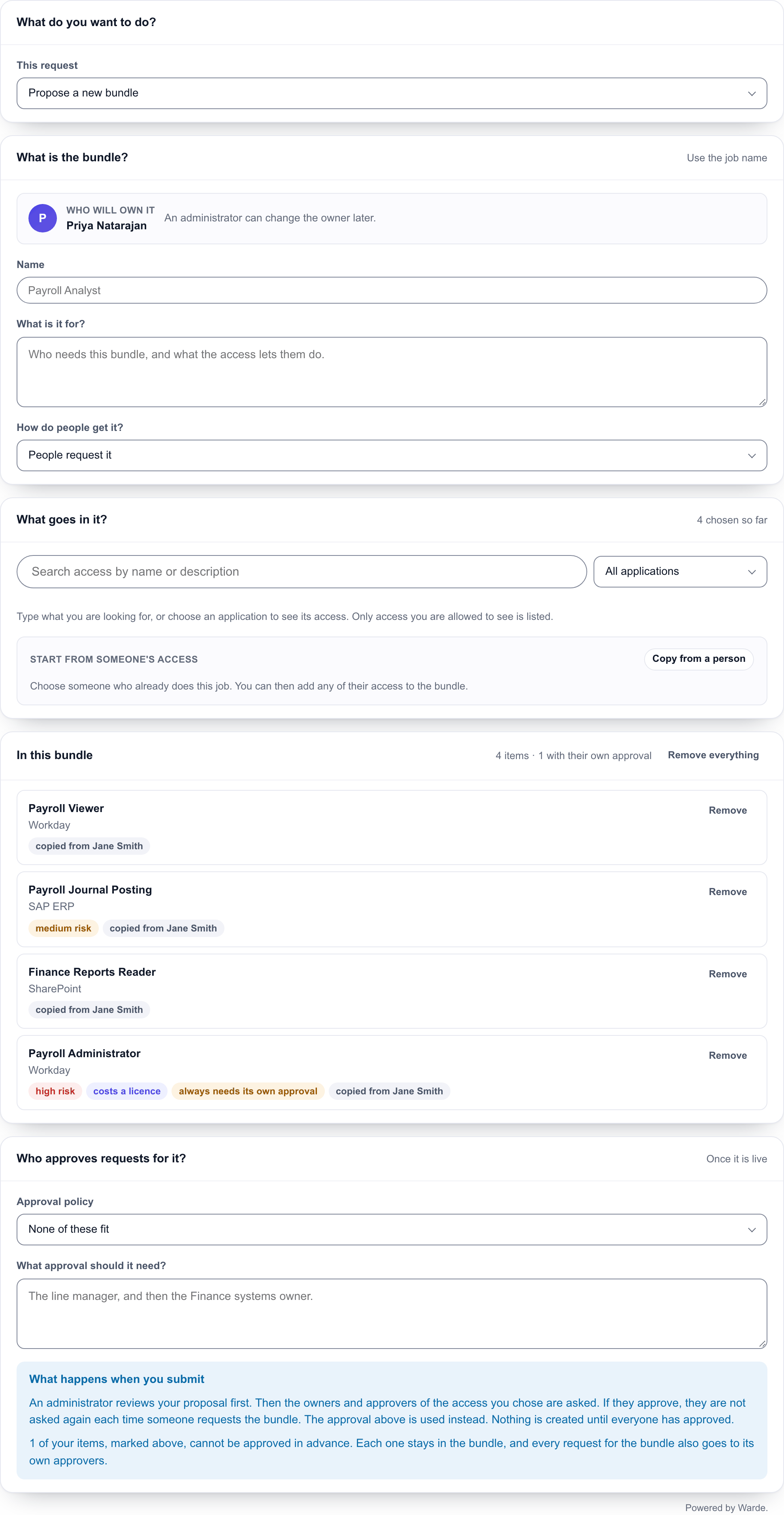
On the form, under What do you want to do?, choose Propose a new bundle, then fill in:
| Card | What to enter |
|---|---|
| What is the bundle? | Name (use the job name), What is it for?, and How do people get it?: People request it, or Everyone in a job or team gets it automatically. The proposer is the owner; an administrator can change the owner later. |
| What goes in it? | Search for access, or Copy from a person to start from someone's current access. What you add appears under In this bundle. |
| Who approves requests for it? | Pick an approval policy, or choose None of these fit and describe the approval it should need. With one active policy, the form names it and there is nothing to pick. With none, the proposer describes the approval. |
How a proposal is approved
- The bundle approvers group,
x_66256_warde.admin.group, approves the proposal itself. If that group is unset or empty, the fallback fulfilment group is asked, then the Warde administrators directly. - The owner and approvers of each entitlement then approve on the same request, all in one stage, and every one of them must approve. Entitlements that always need their own approval are not asked about.
- Warde creates the bundle, submits it for pre-approval and closes the request with a comment saying what it created. The bundle starts in Pending pre-approval. An entitlement with no owner and no approvers goes to the administrators who review bundles, by the email Access bundle items waiting for your approval.
- When nothing is waiting for a decision, the owner gets Your access bundle is ready to activate. An administrator selects Activate. See Build a bundle.
If the proposer chose None of these fit, their description is on the request and in the approval the administrators decide. Build the policy in the Approval Policy Wizard and set it on the bundle before you activate it.
The user guide shows the form from the proposer's side: Propose a bundle.
Propose a change to a live bundle
Choose Change what is in a live bundle, search for the bundle under Which bundle?, then add and take out access under What should be in it?. Only the difference is sent.
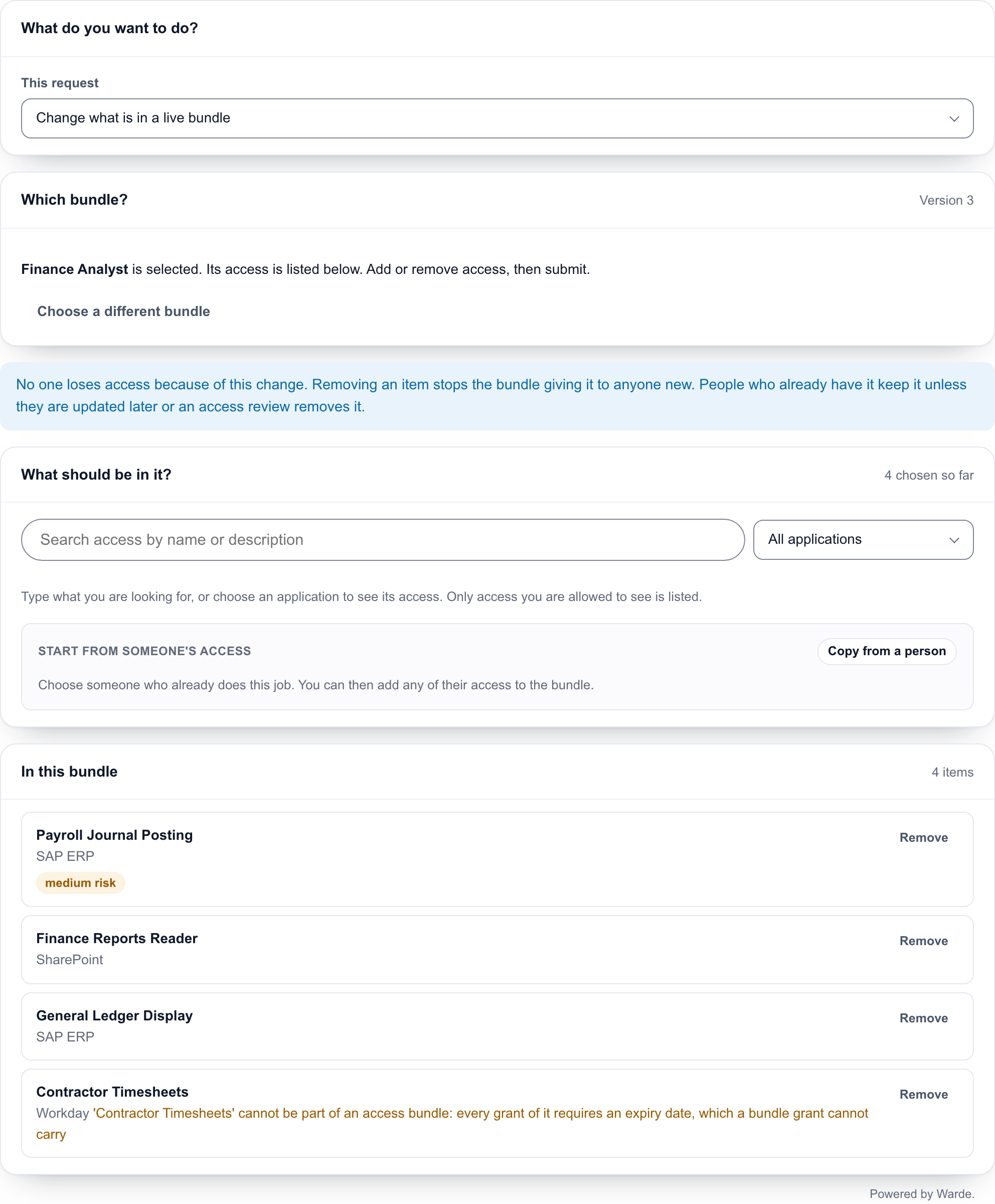
If anyone holds the bundle, the form asks When the change is approved, what should happen to their access?: Update them to match, or Leave them as they are.
| Part of the change | Approved by |
|---|---|
| What comes out | The bundle's own approval policy, or its owner if it has none |
| What goes in | Each entitlement's owner |
The two run in order, and additions are asked about only when the removals have passed. If nobody can approve a part, it goes to the administrators who review bundles, then the approval exception group. A change that would empty the bundle is refused: retire the bundle instead.
When the change is approved, Warde applies it and raises the version. If the requester chose to update holders, each holder's access is brought into line as described in Bring holders up to date.